Channels
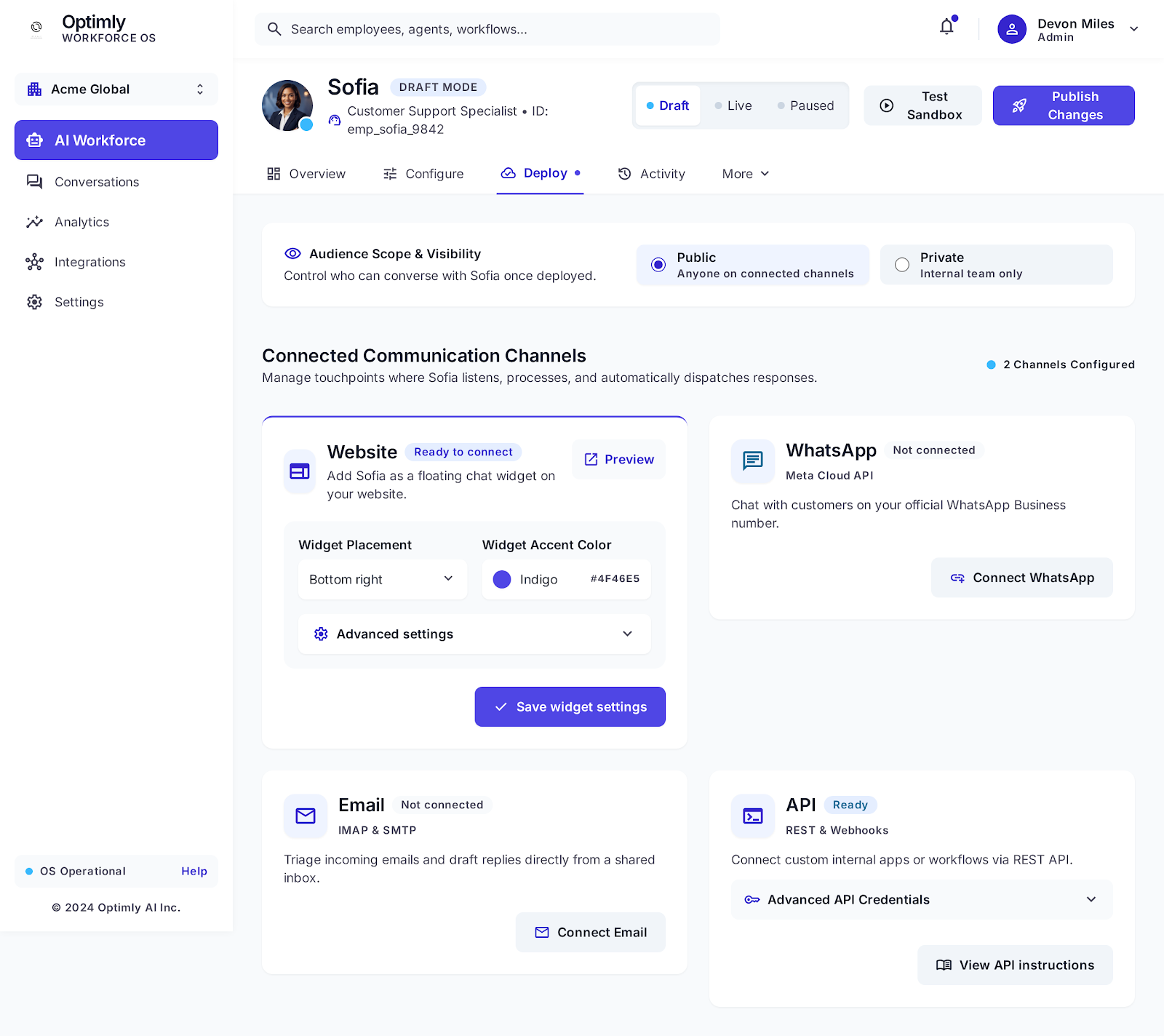
An AI employee can talk to customers across four channels. You connect channels in the Deploy tab. One employee can be active on multiple channels simultaneously — the same knowledge, behavior, and capabilities apply everywhere.
Which channel should you use?
| Channel | Best for | Setup time | Customer experience |
|---|---|---|---|
| Website | Catching visitors in the moment | ~2 min — paste one script tag | Floating chat bubble, instant |
| Customers who prefer messaging apps | ~5 min — QR code scan | Native WhatsApp experience | |
| Async support, existing inboxes | ~5 min — Gmail OAuth | Replies to their inbox | |
| API | Custom apps, CRMs, internal tools | Dev work required | Whatever you build |
Website
A floating chat bubble on your website. Visitors click it, a conversation opens, and your employee responds immediately.
Connect it: Deploy tab → Website tile → save widget settings → copy the <script> tag → paste before </body>.
Good for: Any public-facing website. The easiest channel to start with.
WhatsApp
Your employee receives and replies to messages sent to your WhatsApp Business number via OpenWA (QR code pairing — no Meta Cloud API required).
Connect it: Deploy tab → WhatsApp tile → Connect WhatsApp → scan QR code with your phone.
Good for: Businesses with customers in WhatsApp-heavy markets. Direct, personal feel.
Email
Your employee reads incoming emails to a shared inbox and drafts (or sends) replies. Connects via Gmail OAuth.
Connect it: Integrations page → Google Email → Connect → grant Gmail permissions → then associate the inbox with your employee in Deploy tab.
Good for: Support teams with existing email workflows. Keeps everything in one inbox.
API
Use the REST API to send messages to your employee from any application — a mobile app, a CRM workflow, an internal tool, or a custom chat UI.
Connect it: Deploy tab → API tile → expand Advanced API Credentials → copy your access_token.
Good for: Developers building custom integrations. Full control over the UI and flow.
Running multiple channels
One employee can run on all four channels at once. Useful patterns:
- Website + WhatsApp — captures both web visitors and messaging-app customers
- Email only — for an internal support inbox or a client-facing email assistant
- API only — fully custom embed inside your product
Each channel's conversations appear in Activity → Conversations, labeled by channel (Website, WhatsApp, Email).
Manual Mode applies to all channels
Regardless of which channel a conversation came from, you can take it over manually from the Conversations page. Toggle the Manual/AI switch — your employee steps back and your team takes the keyboard.