Welcome to Optimly
Optimly is a conversation management platform that lets you build and deploy AI employees — agents that talk to your customers across every channel, capture leads, escalate to your human team when needed, and send you performance reports while you sleep.
What is an AI Employee?
An AI employee is a named, role-aware agent you configure once and deploy everywhere. Each employee has a defined role (Customer Support, Sales, Lead Generator, etc.), its own knowledge base, capabilities, and connected channels.
Think of it less like "setting up a chatbot" and more like onboarding a new team member.
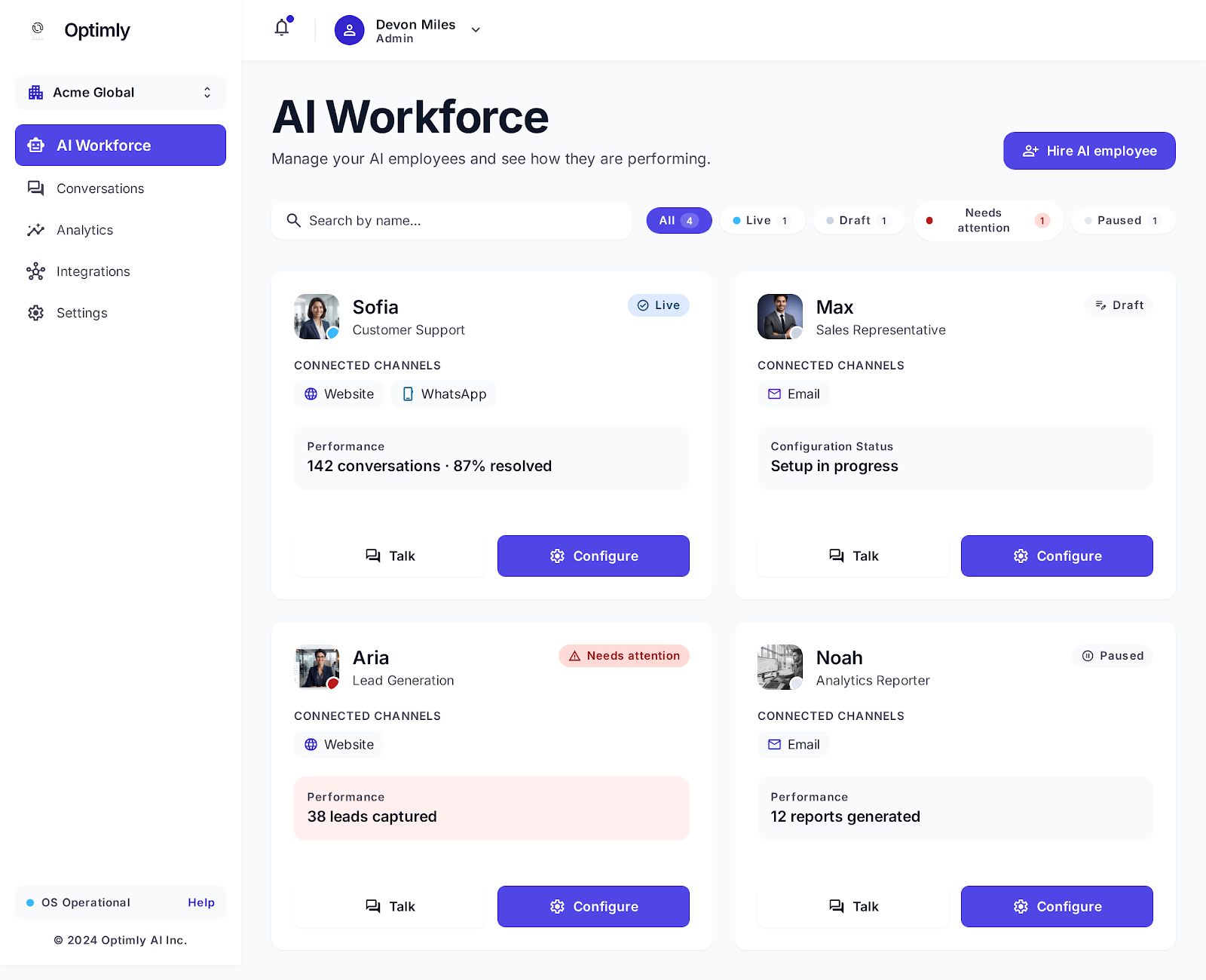
How it works
1. Hire an AI employee
Pick a role and name your employee. Optimly gives you a pre-filled behavior prompt for the role you choose — you can use it as-is or tailor it to your brand voice.
Available roles:
| Role | What it does |
|---|---|
| Customer Support | Answers tier-1 questions, escalates to humans when needed |
| Sales Representative | Qualifies prospects, explains your offering |
| Lead Generator | Captures and qualifies interested visitors |
| Analytics Reporter | Summarizes activity and recurring trends |
| System Auditor | Reviews activity for problems and opportunities |
| Custom | Starts blank — you define everything |
2. Configure behavior, knowledge, and capabilities
The Configure tab has five sections:
- Behavior — role, instructions, response style, fallback message
- Knowledge — upload docs, websites, or paste text your employee will answer from
- Capabilities — turn on lead capture forms, email handoff, and more
- Colleagues — define escalation paths to human team members
- Appearance — avatar and brand color
3. Deploy to your channels
Connect your employee to the channels your customers already use:
- Website — a floating chat widget added with one script tag
- WhatsApp — direct messaging via your business number
- Email — process and respond to a shared support inbox
- API — integrate into any custom app or workflow via REST
4. Monitor from one place
Every conversation, lead, and escalation shows up in the Conversations and Activity tabs. Analytics surfaces trends and flags anything that needs your attention.
Core concepts
| Term | Meaning |
|---|---|
| AI Employee | A named, role-specific agent with its own config and channels |
| Draft / Live / Paused | Lifecycle status of an employee — drafts are not serving customers |
| Knowledge | Docs, websites, or text the employee uses to answer accurately |
| Capabilities | Optional tools like lead forms and email handoff |
| Manual Mode | A toggle that lets your human team take over any conversation |
| Activity | Per-employee view of conversations, leads, and reports |
Ready to start?
→ Hire your first AI employee — step-by-step in under 10 minutes
→ Configure an employee — deep dive into every setting
→ Explore the API — integrate Optimly into your own app
Need help? Email contact@optimly.io or join our Discord.