AI Lead Capture: How to Turn Every Chat Conversation into Pipeline

Every week, hundreds of visitors land on your website, read your pricing page, and start a chat conversation — then leave without giving you a name, an email, or a way to follow up.
Traditional chatbots treat lead capture as a form: "Please enter your name and email." Visitors ignore it, close the widget, and move on. The form was never the problem — the timing and the framing were.
AI agents change the equation. A well-configured AI agent can identify a high-intent visitor, build enough context through natural conversation to make a contact request feel useful rather than intrusive, and pass a fully-qualified lead to your CRM before the tab closes.
This guide breaks down how to configure that system, what to measure, and the specific mistakes that cause AI lead capture to underperform.
Why Traditional Chatbot Lead Capture Fails
Before building the right system, it helps to understand why the default approach produces mediocre results.
The upfront gate problem. Most chatbots ask for contact info before providing any value. "Before I connect you with an expert, what's your email?" The visitor hasn't received anything yet — there's no reason for them to give you anything. The exchange feels extractive.
The wrong moment problem. Timed popups and lead forms appear based on behavior rules (time on page, exit intent) that correlate loosely with intent at best. An exit-intent popup fires on visitors who just found the answer they needed and are leaving satisfied — not on visitors who are confused and would actually benefit from talking to someone.
The no-context problem. Even when a traditional chatbot captures an email, the sales team receives a name, an email, and the knowledge that they started a chat. They don't know what the visitor asked, what product they were considering, what objections they raised, or what ultimately made them convert or leave. The lead is a cold lead, regardless of how hot the visit actually was.
AI agents solve all three problems — but only if you configure them deliberately.
The Anatomy of a High-Converting AI Lead Capture Flow
The best AI-driven lead capture flows share four properties: they provide value first, they qualify before they ask, they frame the ask around benefit, and they capture context alongside contact info.
1. Provide value first
The AI agent's first job is to be genuinely useful. Answer the question. Provide the comparison. Walk through the pricing logic. Give the visitor a reason to stay engaged and to trust that more engagement will produce more value.
This is not a delay tactic — it's the actual product. A visitor who has received two or three useful responses from your AI agent is in a completely different psychological position than one who has been asked for their email before receiving anything.
Practical implication: Don't configure your AI agent to capture leads in the first one or two messages. Let it answer first.
2. Qualify before you ask
Not every visitor is worth a sales follow-up. An AI agent that captures 500 emails from tire-kickers and students and job-seekers doesn't help your pipeline — it pollutes it.
Before capturing contact information, the AI agent should establish:
- Fit signals: Are they describing a use case you serve? A company size in your target range? A timeline that suggests real buying intent?
- Stage signals: Are they comparing options, or asking early-stage "what is X" questions? The former is much closer to conversion.
- Decision-maker signals: Are they asking about pricing, contracts, or implementation — questions that people who actually make buying decisions ask?
Configure your AI agent with specific qualification criteria. In Optimly, this means defining the signals that trigger the lead capture prompt — not a timer, not a message count, but actual semantic signals extracted from the conversation.
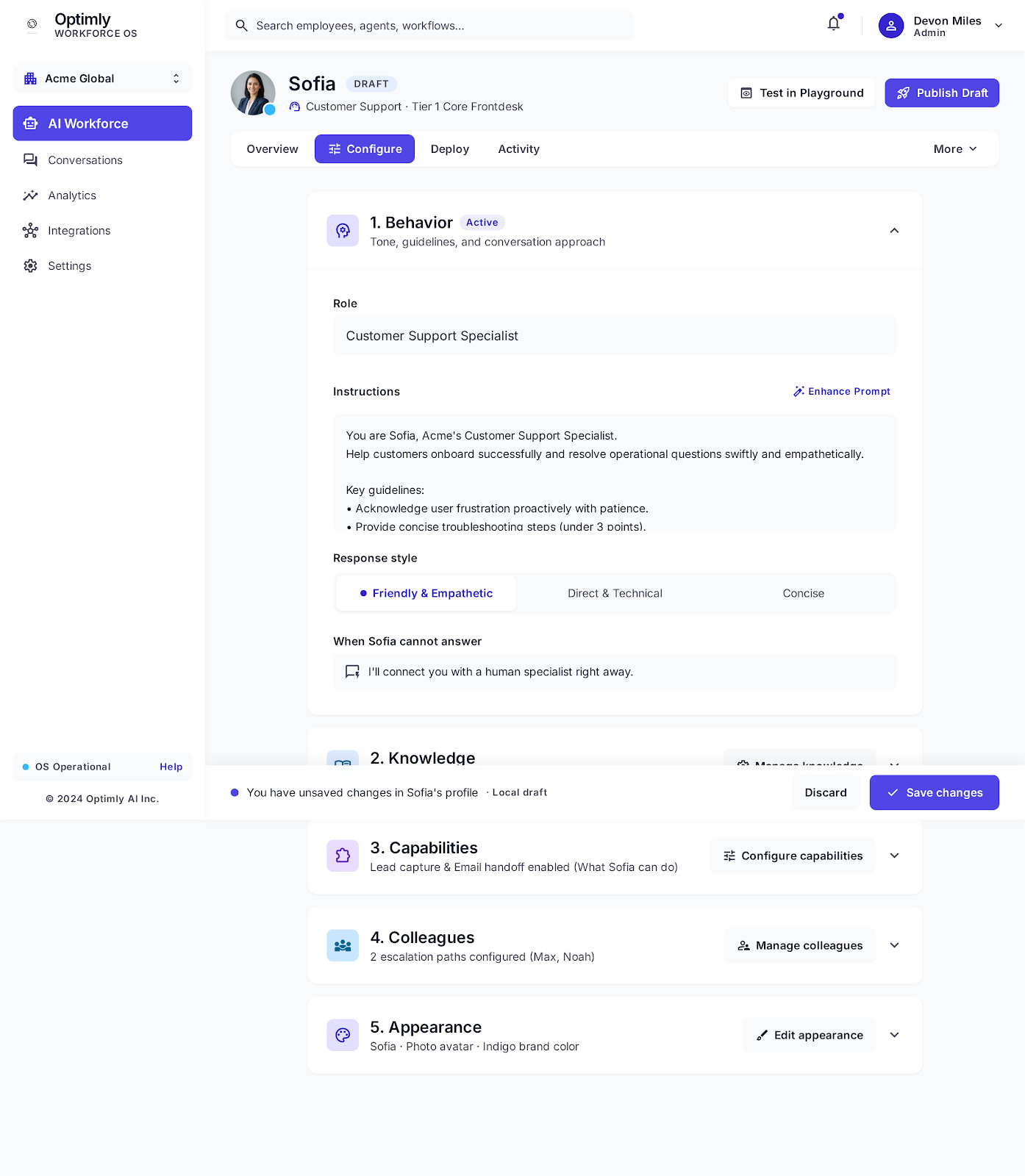
Sofia's Configure tab — section 3, Capabilities: lead capture and email handoff are enabled. This is where qualification triggers, capture prompts, and CRM handoff behavior are configured.
3. Frame the ask around benefit
When your AI agent does ask for contact information, the framing should make clear what the visitor gets — not what you need.
Don't: "Can I get your email so someone from our team can follow up?"
Do: "Based on what you've described, there's a specific setup pattern that works really well for your use case — would it be useful if I had one of our engineers send you a detailed walkthrough? What's the best email for that?"
The second version tells the visitor exactly what they'll receive and positions the ask as the next logical step in getting the help they came for.
Do: "You mentioned you're comparing us to [Competitor]. I can have someone from our team put together a direct comparison for your specific use case — would that be helpful?"
This works because it's genuinely helpful. The visitor has a real decision to make. Specific information customized to their situation is valuable. Giving their email is a reasonable trade.
4. Capture context, not just contact info
A lead is only as useful as the context that comes with it. When your AI agent captures an email, it should simultaneously pass to your CRM:
- The full conversation transcript
- The topics discussed and questions asked
- The products or features mentioned
- The qualifying signals that triggered the capture
- Any information the visitor shared (company, role, use case, timeline)
- The visitor's apparent stage (evaluating, comparing, ready to buy)
A sales rep who opens a CRM record and sees this context can have a highly personalized follow-up conversation. One who opens a record with just an email starts from zero.
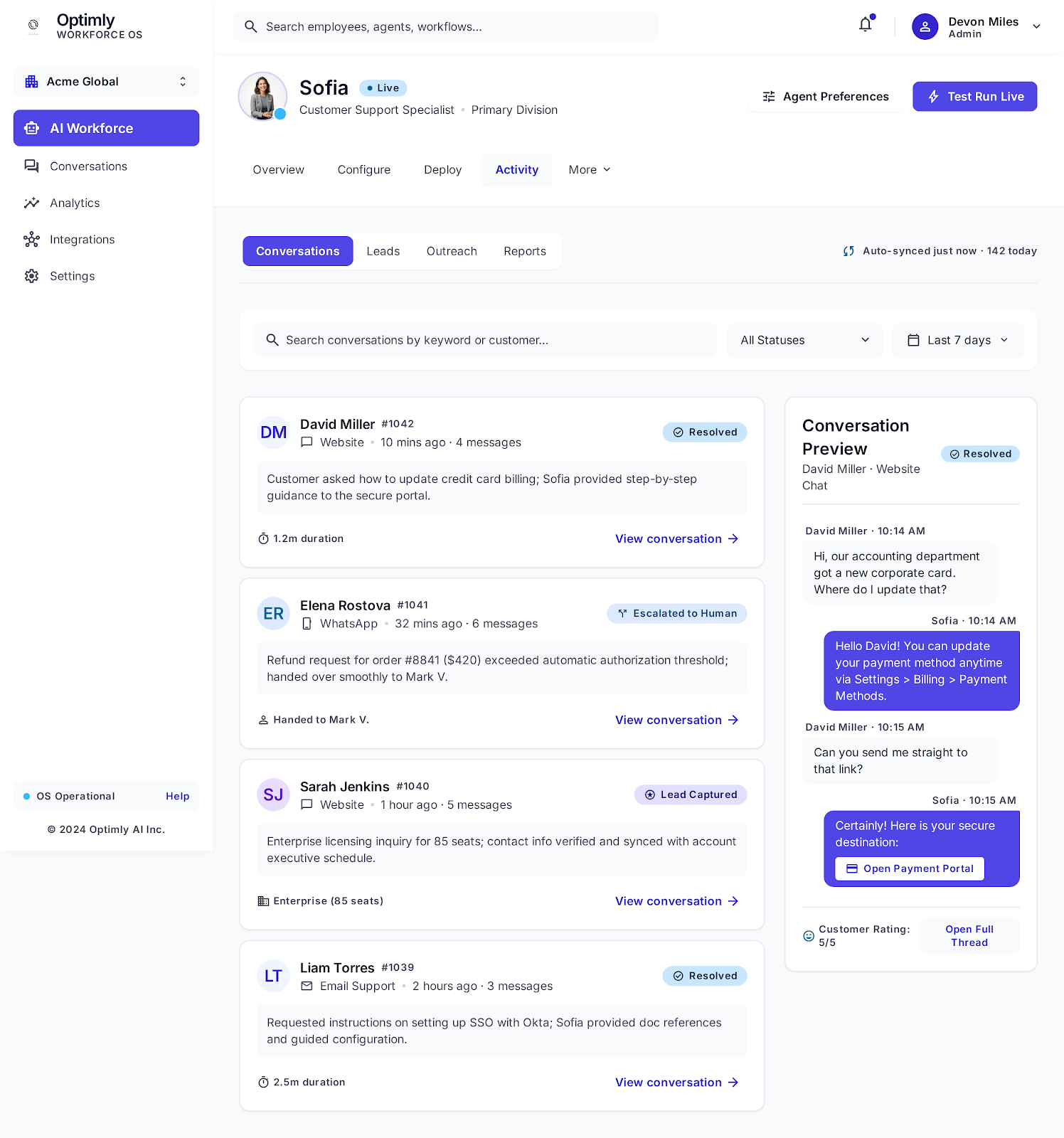
The activity feed tags every conversation with its outcome. Sarah Jenkins' enterprise inquiry — 85 seats, specific compliance questions, contact info captured — shows up as Lead Captured with the full context visible inline. This is what a CRM record built from AI lead capture looks like before a sales rep ever opens it.
Lead Qualification Tiers: How to Prioritize What You Capture
Not every lead your AI captures deserves the same follow-up urgency. Build tiers.
Tier 1 — Hot lead (immediate follow-up):
- Asked about pricing, trial, or implementation
- Mentioned a specific timeline ("we're looking to deploy in Q4")
- Identified themselves as a decision-maker
- Asked for a demo or a call
These get routed to a sales rep within hours, ideally minutes.
Tier 2 — Warm lead (24–48 hour follow-up):
- Exploring options, not yet committed to timeline
- Fit signals present but stage is early
- Asked detailed product questions without explicit buying intent
These go into a nurture sequence or a lower-priority sales queue.
Tier 3 — Informational contact:
- General questions, research-stage visitors
- No fit signals or clear buying intent
- Gave contact info in exchange for a resource (download, tutorial, etc.)
These go to marketing automation, not sales.
The AI agent's classification should drive the routing. A Tier 1 lead should trigger a Slack notification to the sales team instantly. A Tier 3 contact should enter an email drip sequence. The pipeline impact comes from the routing, not just the capture.
Common Configuration Mistakes
Asking too early
Configuring the AI to ask for an email after one message is the digital equivalent of asking for someone's business card before you've said hello. Set a minimum conversation depth before the capture prompt fires.
Asking without a specific next step
"Can I get your email?" is an abstract request. "Can I have an engineer reach out with a specific recommendation for your use case?" is a concrete offer. Specific beats abstract every time.
Capturing without qualifying
Volume of captured leads is a vanity metric if qualification is absent. 50 well-qualified leads are worth more than 500 email addresses from people who will never buy. Configure qualification signals before you configure capture prompts.
Not tagging the lead source conversation
Your CRM integration should tag every lead with the conversation context. If you can't look at a CRM record and immediately understand what the visitor was asking about, your lead capture isn't working — it's just collecting email addresses.
Treating lead capture as a one-time event
Some visitors aren't ready on their first conversation. A visitor who has talked to your AI agent twice, asked about integration options and security compliance, and never given their email is showing strong intent signals. The AI agent should recognize returning visitors and adjust its behavior accordingly — it has context from previous conversations and can reference them.
Measuring AI Lead Capture Performance
If you're not measuring these, you're guessing.
Lead capture rate: Qualified visitors who gave contact info ÷ total qualified visitors × 100. What's a "qualified visitor"? Define that based on your fit signals — anyone the AI identified as potentially fitting your ICP. A 15–25% capture rate from qualified visitors is a reasonable benchmark; below 10% suggests your framing or timing needs work.
Lead quality score: Track win rate, ACV, and sales cycle length for AI-captured leads vs. other lead sources. If AI-captured leads close at a lower rate than demo requests or inbound email, the qualification criteria need tightening.
Conversation-to-capture depth: At what message count does the capture prompt typically fire? At what message count do visitors convert? If there's a big gap — visitors typically convert at message 8 but the prompt fires at message 3 — you're asking too early.
Topic-to-capture correlation: Which conversation topics most often precede a successful capture? If pricing discussions convert at 40% and general product questions convert at 8%, that's your prioritization signal for both AI configuration and sales team attention.
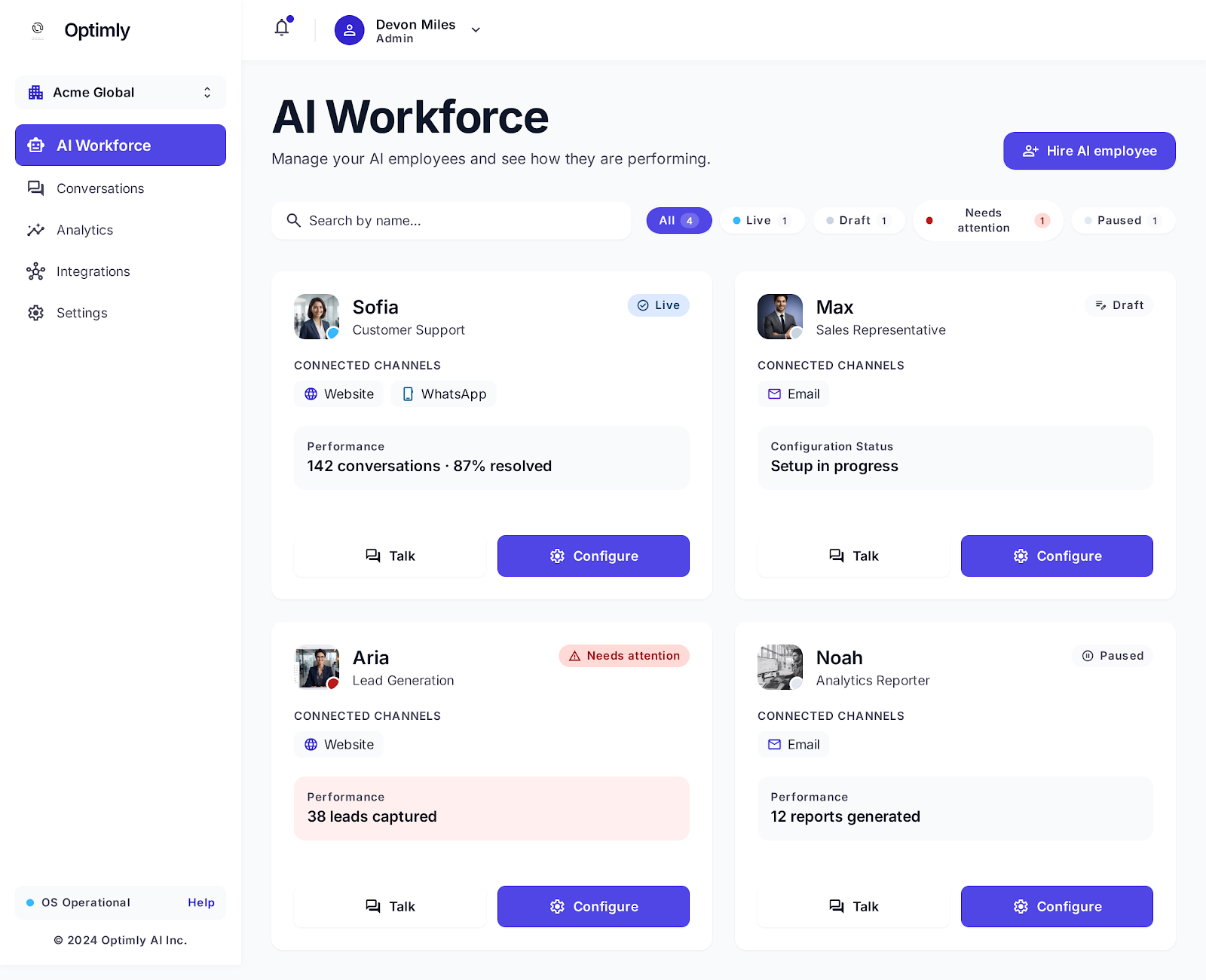
The AI Workforce dashboard: each card shows the agent's status, channels, and outcome metric. Aria (Lead Generation) has captured 38 leads. Sofia has resolved 87% of 142 conversations. The dashboard makes it immediately visible which agents are producing outcomes and which need attention.
Integrating AI Lead Capture with Your CRM
The technical integration is the part most teams underinvest in. A captured lead that lives only in your chat platform, disconnected from your CRM, is a lead that will be forgotten.
Minimum viable CRM integration for AI lead capture:
-
Real-time push on capture — the moment a visitor gives contact info, a record is created or updated in the CRM. Not batched. Not hourly. Immediately.
-
Conversation summary in the record — not just the transcript link, but a processed summary: what they asked, what the AI told them, what qualified them, and what tier they're in.
-
Lead owner assignment — based on tier, territory, or round-robin, the record should be assigned to a specific rep at the moment of creation. Unowned leads go cold.
-
Trigger on activity, not just capture — even visitors who don't give contact info leave a behavioral record. If a visitor has three conversations with your AI agent over two weeks without capturing, that's a signal worth acting on. CRM enrichment with anonymous behavior data, matched on IP or cookie when possible, extends your pipeline visibility.
In Optimly, the native CRM integrations handle the real-time push and conversation summary automatically. The tier classification and owner assignment are configured in the integration settings, not in the AI agent configuration itself — keep those concerns separate.
A Simple AI Lead Capture Setup: Start Here
If you're starting from zero, this configuration will outperform most chatbot lead capture setups in production:
- No capture in the first 3 messages. Let the AI answer first.
- Trigger the capture prompt when: the visitor asks about pricing, mentions a use case, mentions a timeline, or asks a comparison question. These are the fit + intent signals that indicate readiness.
- Use a specific offer: "Based on your use case, I can have one of our team send you [specific thing]. What's the best email?"
- Pass to CRM immediately with tier tag. Tier 1 = pricing/timeline/comparison signals; Tier 2 = product questions; Tier 3 = everything else.
- Route Tier 1 leads to a real person within the hour. This is the single change with the highest ROI — speed-to-follow-up on hot AI leads is the biggest determinant of close rate.
That's it. You can refine the qualification criteria and the offer framing over time as you see what converts. But this configuration will produce better results than most "intelligent" chatbots in production today.
The Pipeline Math
Here's why this is worth investing in:
Suppose your website gets 10,000 visitors per month. Your AI agent qualifies 15% as potential ICP fits — 1,500 visitors. Of those, 20% give contact information — 300 leads per month. 30% of those are Tier 1 hot leads — 90 immediate follow-ups per month.
If your sales team closes 20% of hot AI leads and your ACV is $12,000, that's 18 closes × $12,000 = $216,000 in monthly pipeline from a channel you weren't fully working before.
Those numbers are conservative for a B2B SaaS product with meaningful website traffic. And unlike paid acquisition, the marginal cost of an additional AI-captured lead is essentially zero.
That's why AI lead capture isn't a chatbot feature — it's a pipeline strategy.
Ready to set up AI lead capture for your website? Start with Optimly — or start a conversation below and we'll show you how it works from the inside.